
Every brand’s posts, in one calm place.

Product, brand and launch campaign for a social media scheduler, designed end to end.

Screens and states
216
105 web · 111 mobile
Jobs to be done
6
Designed end to end
Campaign chapters
3
For launch
Design system
1
Product + brand
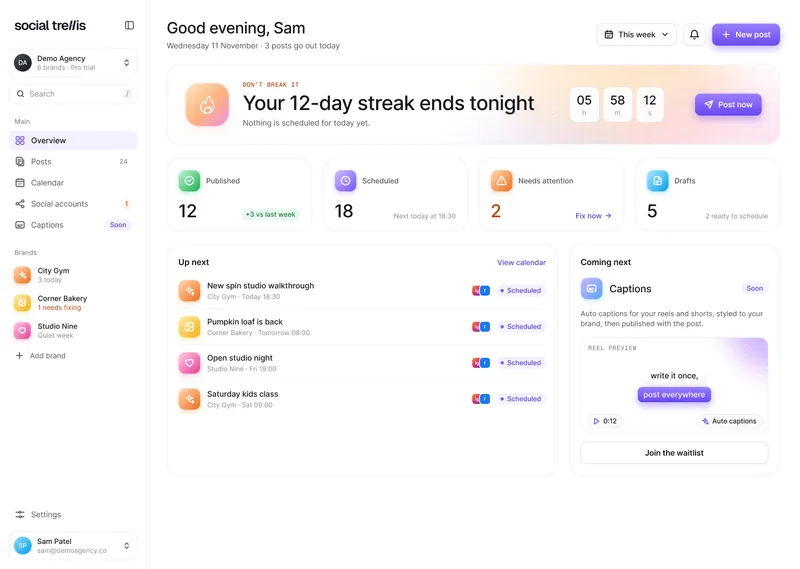
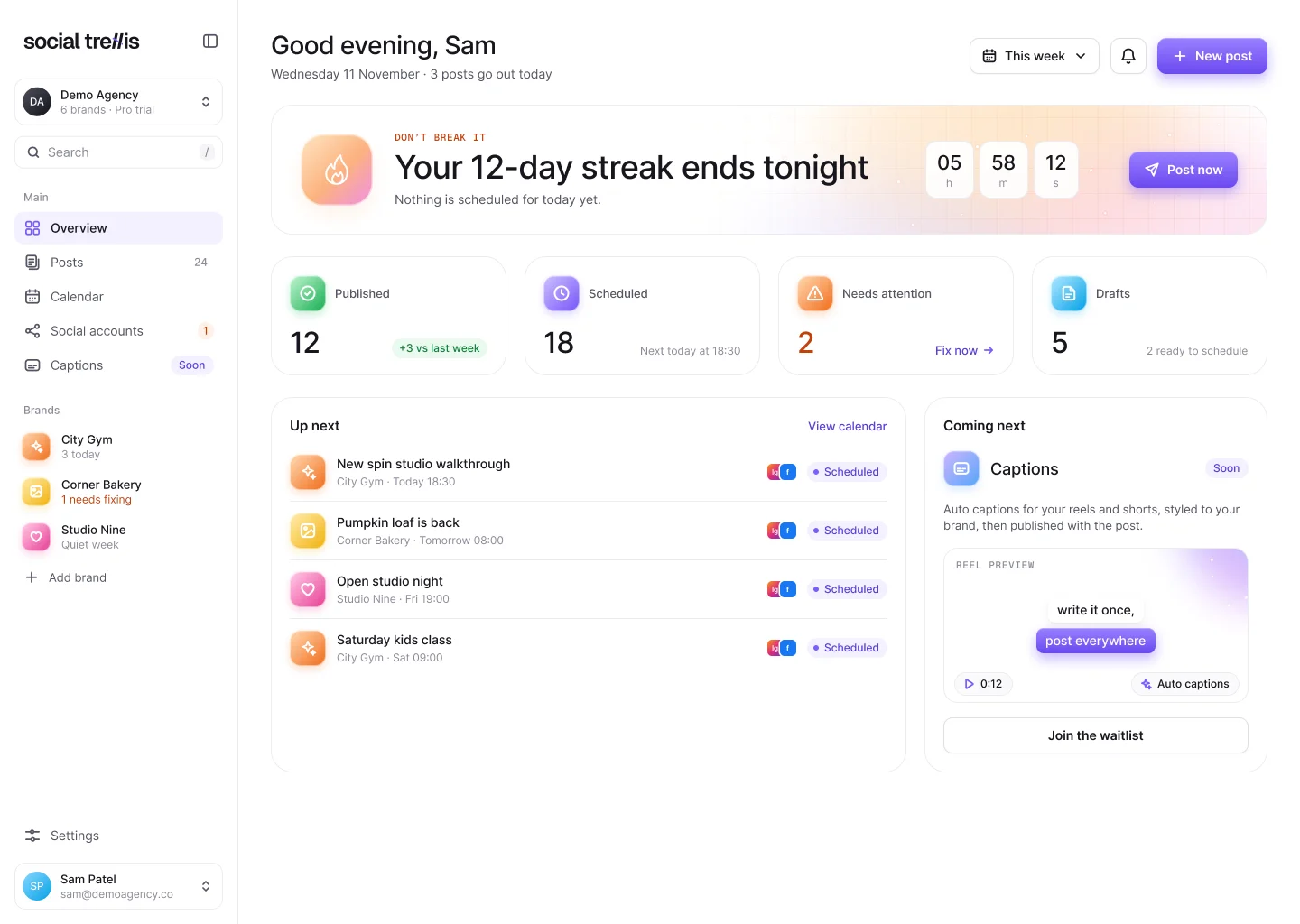
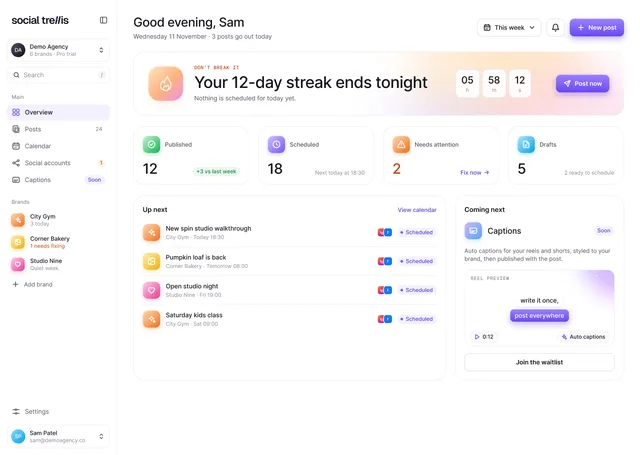
  • Overview

    Overview screen of the Social Trellis web app
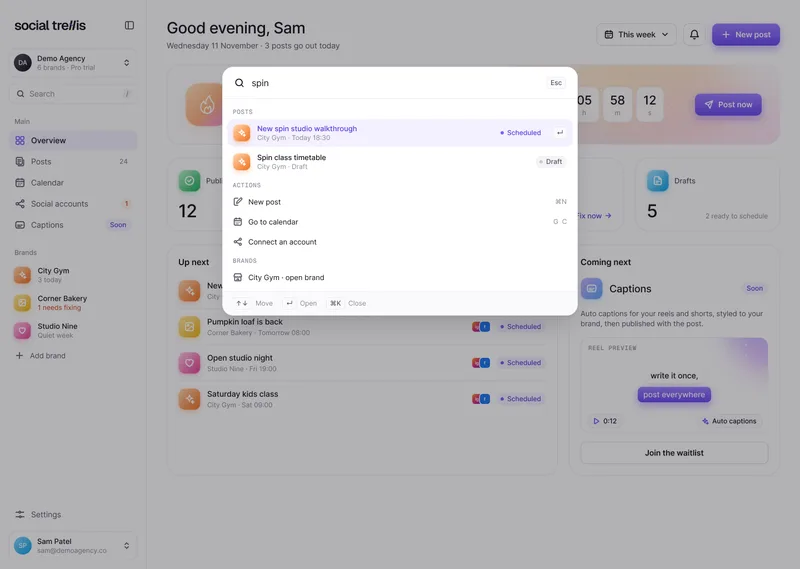
  • Command menu

    Command menu open over the Social Trellis web app
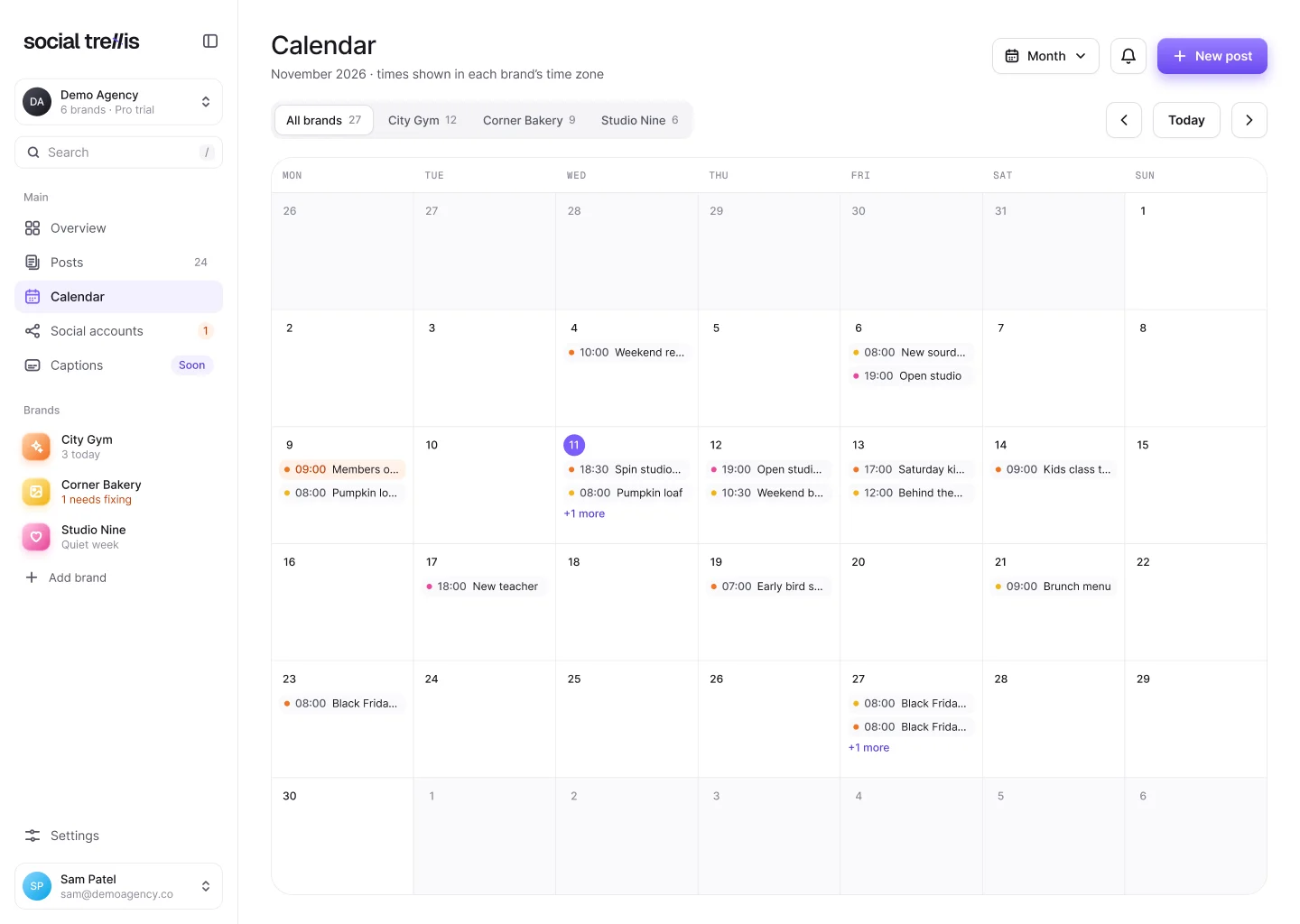
  • Calendar

    Calendar screen of the Social Trellis web app
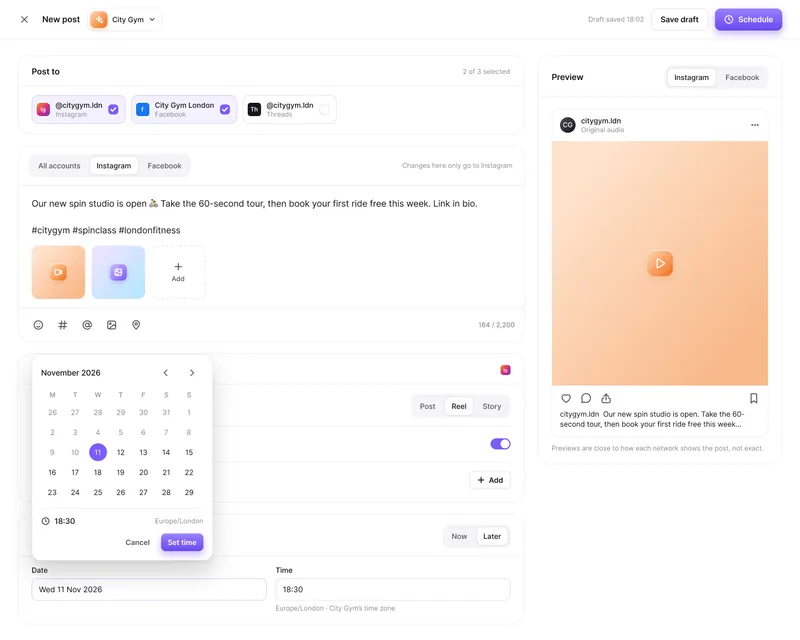
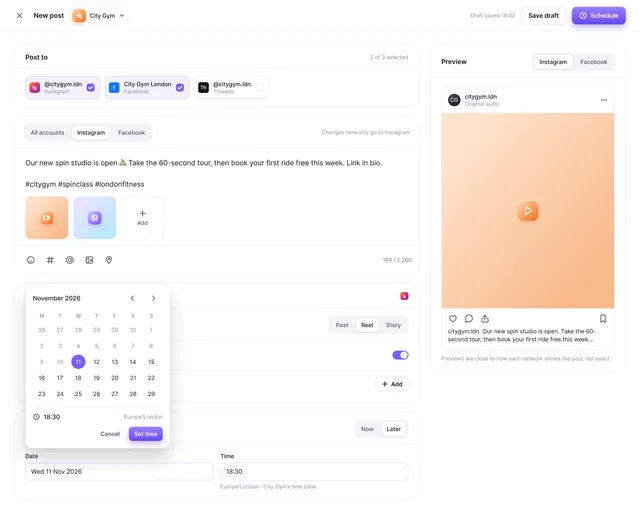
  • Composer

    Composer screen of the Social Trellis web app
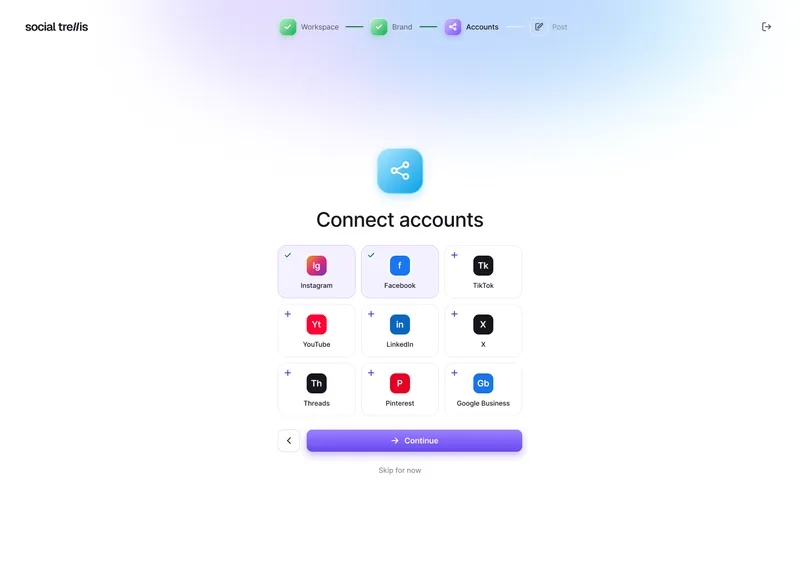
  • Connect accounts

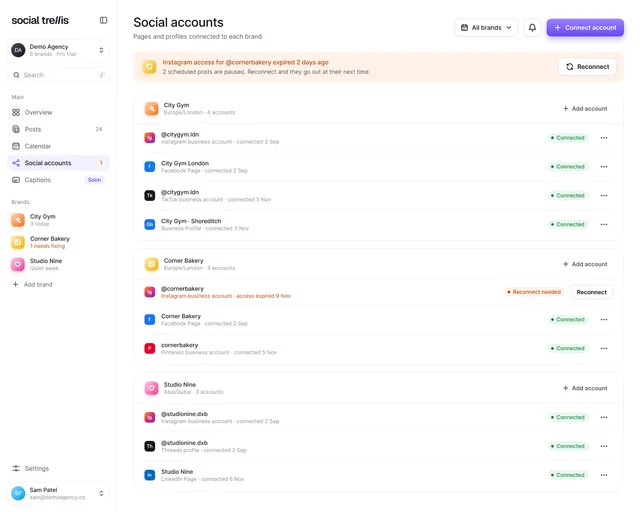
    Connect accounts screen of the Social Trellis web app
  • Onboarding

    Onboarding screen of the Social Trellis web app

Social Trellis

Social media, scheduled calmly

The ideaIn one line

Write a post once, schedule it for every brand and know for sure it went out.

First runFrom the prototype

First runFrom the clickable prototype

Sign up to first post,one clear path.

A few honest steps from a new account to the first post on the calendar.

A few honest steps from a new account to the first post on the calendar. What you do on the left, what the product does for you on the right.

Social Trellis onboarding on a phone: the Connect accounts step, with Instagram and Facebook selected

You do

  1. Create your accountName, email, password
  2. Name your workspaceYour agency or business
  3. Add your first brandWith its own time zone
  4. Connect accountsInstagram and Facebook first
  5. Write your first postOnce, for every network

Social Trellis does

  1. Sends a sign-in linkCheck your email
  2. Sets up rolesOwners, editors, viewers
  3. Keeps the brand’s clockEvery time says which zone
  4. Lets you pick the PagesAnd flags a failed connect
  5. Schedules and confirmsFirst post on the Overview

Mobile appiOS and Android

Home, posts and one-tap fixes, built for the phone in your pocket.

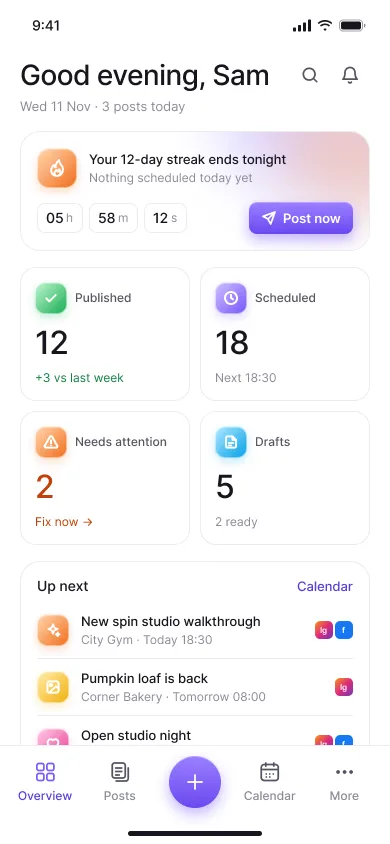
  • Home screen

    Today’s posts and anything to fix.

    Social Trellis mobile home screen: a posting streak reminder, counts of published, scheduled and draft posts, and what is up next
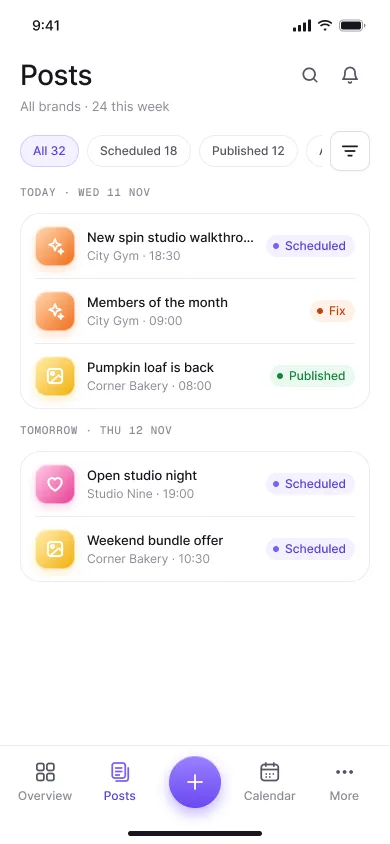
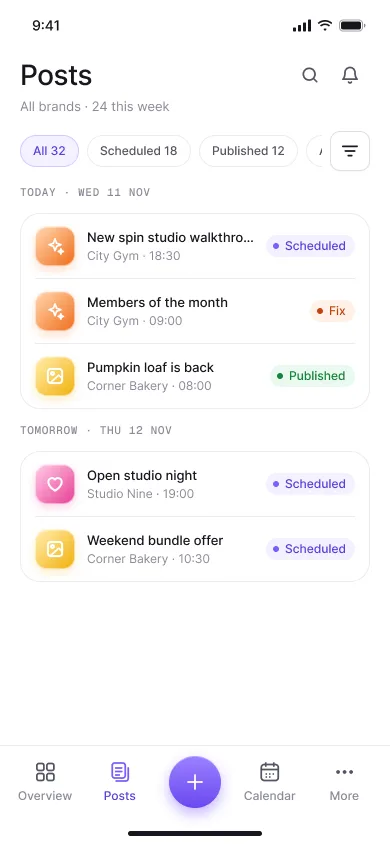
  • Posts

    Every post with a clear status.

    Social Trellis mobile posts list grouped by day, each post with a Scheduled, Fix or Published status
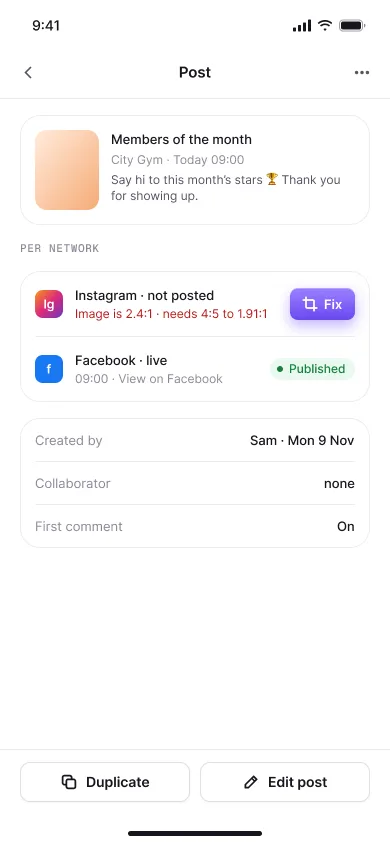
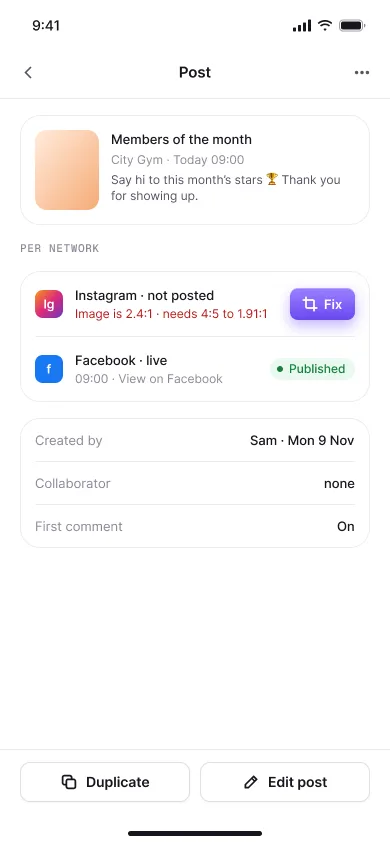
  • Fix a post

    Partly published, with the fix.

    Social Trellis mobile post screen: Instagram not posted with a Fix button, Facebook live
  • Notifications

    Quiet until something changes.
    Social Trellis mobile notifications list

The app in tiles

Onboarding on a phone: Name your workspace
Onboarding on a phone: Connect accounts, with Instagram and Facebook selected
Onboarding on a phone: Add a brand
Web app: overview
Web app: post composer
Web app: calendar
Web app: social accounts
Web app: team roles
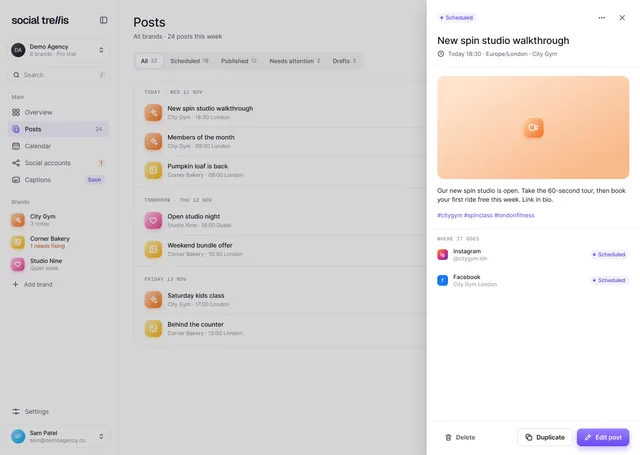
Web app: posts with a post open in a drawer
Web app: calendar week view
Web app: onboarding, connect accounts
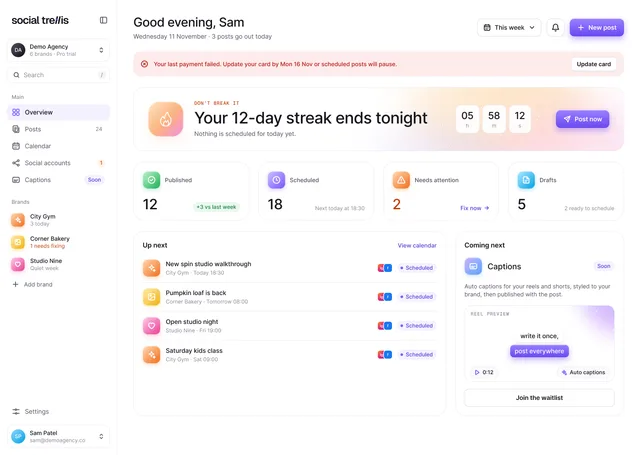
Web app: overview with a payment failed notice
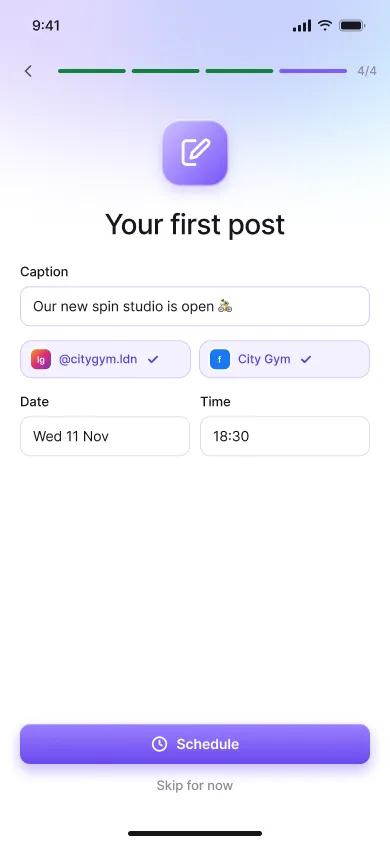
Onboarding on a phone: Your first post
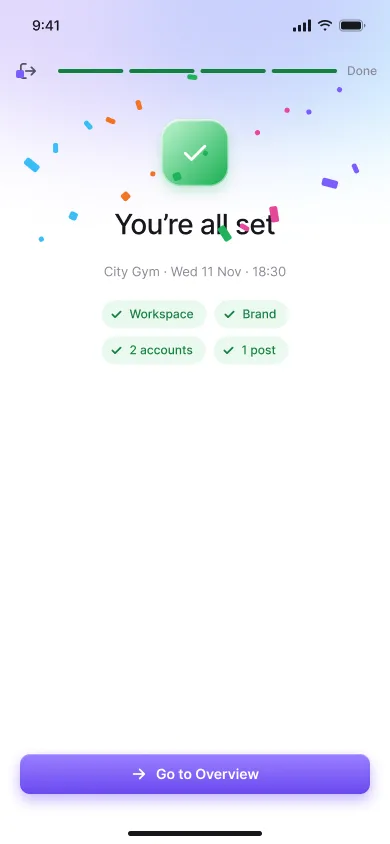
Onboarding on a phone: You’re all set
Mobile app: Sign in
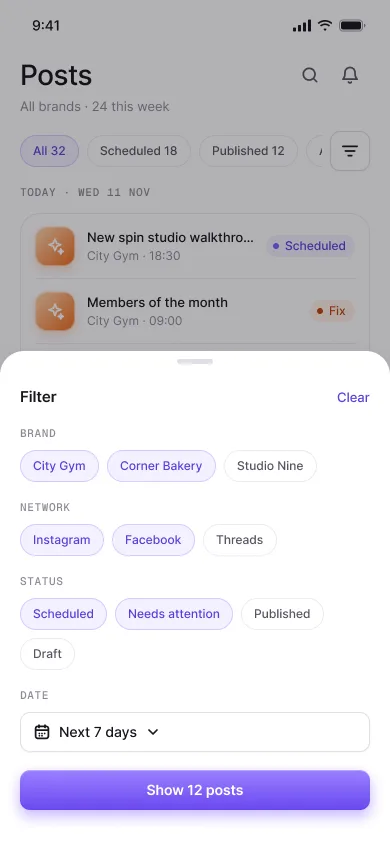
Mobile app: posts with the filter sheet open
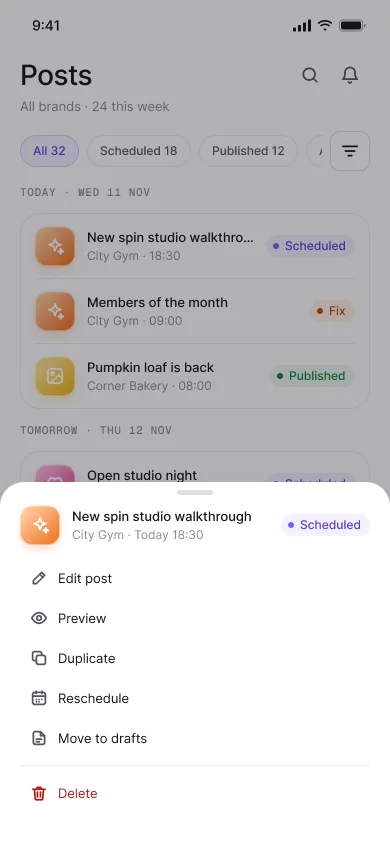
Mobile app: posts with a long-press menu open
Mobile app: search
Web app: the posts list with the details of one post open on the right
Scheduled
Posted to InstagramCorner Bakery · 7:00 am

By the numbers

By the numbersWeb + mobile

105 + 111

Web app screens, then mobile screens for iOS and Android, including empty, loading and error states.

  • Web app
  • Mobile
Weekend bundle is back

1 → 8

One post, adapted for eight networks. Facebook and Instagram first, six more next.
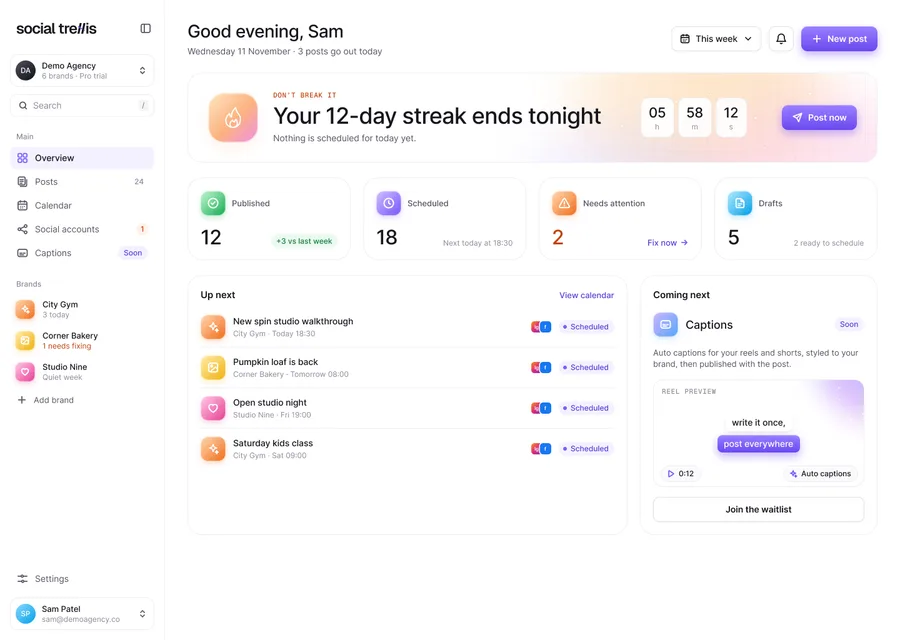
Social Trellis web app overview on a laptop
Social Trellis mobile home screen on a phone

2platforms

Every screen drawn for desktop at 1440 and mobile at 390, from the same parts.

Typography

TypographyInter + Geist Mono

Social Trellis

  • Regular
  • Medium
  • Semi Bold
  • Geist Mono

Inter runs the product, the site and the campaign.

Letters

Aa Bb Cc Dd Ee Ff Gg Hh Ii Jj Kk Ll Mm Nn Oo Pp Qq Rr Ss Tt Uu Vv Ww Xx Yy Zz

Numbers

0 1 2 3 4 5 6 7 8 9 · 18:30 · 92% · +24%

Colour

Colour5 colours

  • Green
  • Sky
  • Iris violet
  • Brand pink
  • Attention

CampaignLaunch

The brand, out in the world.

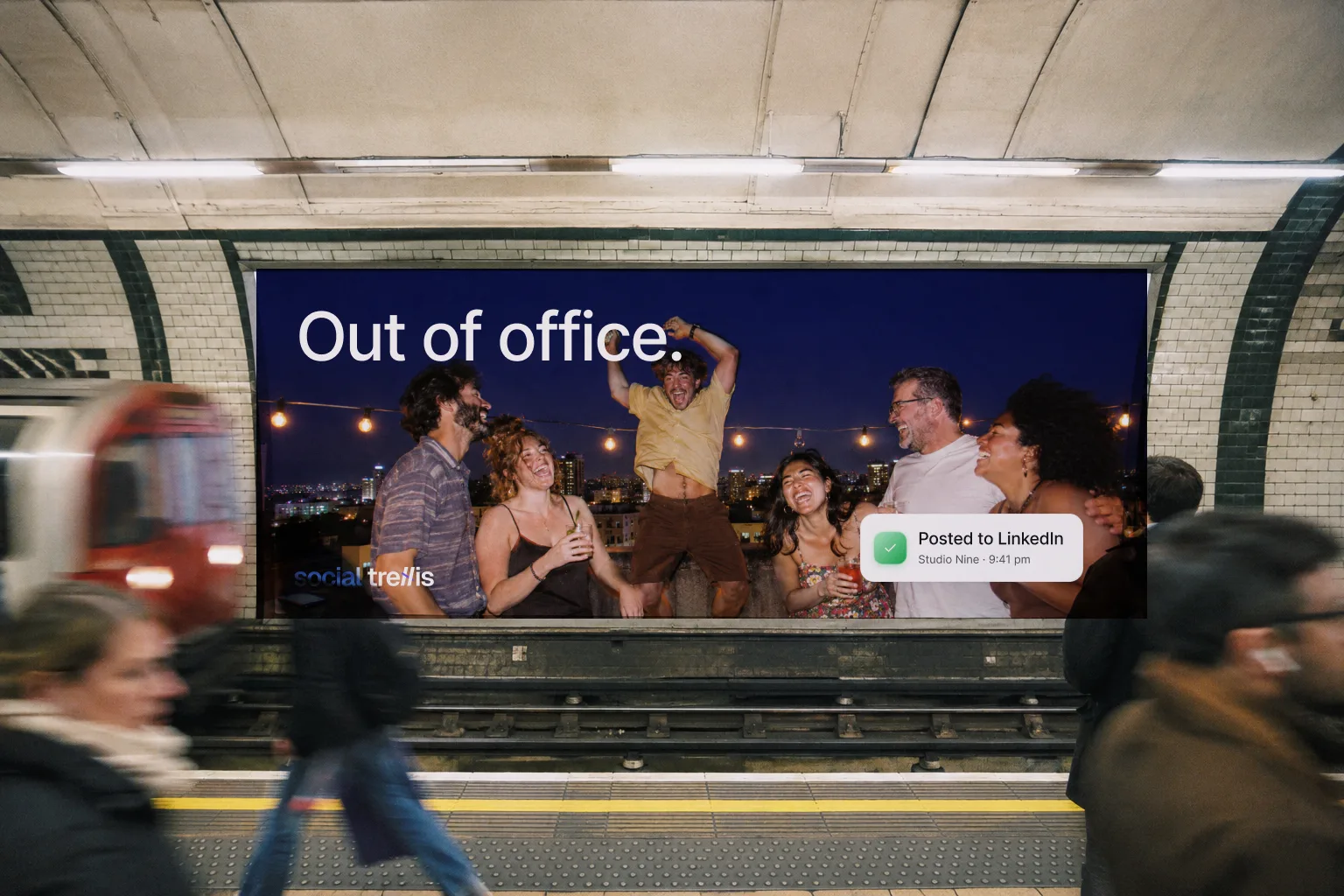
  • Social Trellis poster across the track on a tube platform: friends laughing on a rooftop at night under the line “Out of office.”, with a “Posted to LinkedIn” notification
  • Phone home screen at 9:41 with the Trellis app icon highlighted among other apps, showing a badge with 2 notifications
  • Social Trellis poster in a bus shelter on a rainy night: a family eating noodles at a street market under the line “The bakery posted. You had noodles.”, with a “Posted to Facebook” notification
  • A hand holding up a phone among laughing friends at a party; the screen shows a Social Trellis story of a swimmer jumping into a lake with the line “Out of office. Way out.” and a “Posted to Instagram” notification
  • Social Trellis campaign poster: three friends laughing under a blue sky, one holding a phone that reads “All posted.” and “Posted to TikTok”, under the line “Posted. Now go.”
  • Social Trellis billboard: three friends walking across a sunny hill holding phones that read “All posted.”, under the line “Posted. Now go outside.”

Screen libraryMobile, full set

Every mobile screen, side by side.

  • Social Trellis mobile app: sign in screen.
  • Social Trellis mobile app: name your workspace.
  • Social Trellis mobile app: add a brand.
  • Social Trellis mobile app: connect accounts.
  • Social Trellis mobile app: your first post.
  • Social Trellis mobile app: you're all set.
  • Social Trellis mobile app: overview.
  • Social Trellis mobile app: posts list.
  • Social Trellis mobile app: posts filter sheet.
  • Social Trellis mobile app: post actions menu.
  • Social Trellis mobile app: a post that is partly published.
  • Social Trellis mobile app: notifications.
  • Social Trellis mobile app: search.
  • Social Trellis mobile app: sign in screen.
  • Social Trellis mobile app: name your workspace.
  • Social Trellis mobile app: add a brand.
  • Social Trellis mobile app: connect accounts.
  • Social Trellis mobile app: your first post.

Social Trellis is in development with its launch kit ready: the product, the brand and the campaign, built on one design system.

Where it is now

No launch numbers yet. Targets are set for activation, reliability, recovery and retention.

Social Trellis mobile app: the all set screen at the end of onboarding.
Posted to InstagramCorner Bakery · 7:00 am

Case studies3 more

ExploreMore Work

Other products, each told from the brief to the launch.

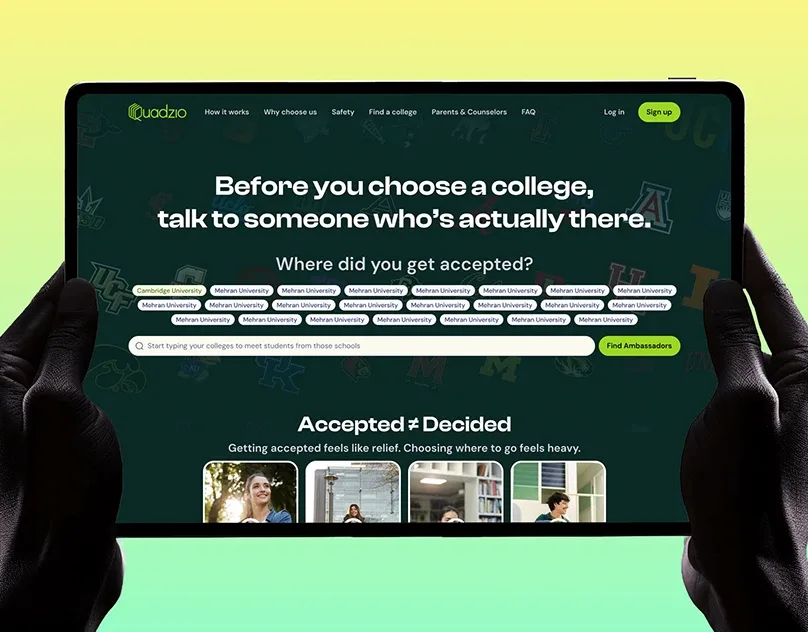
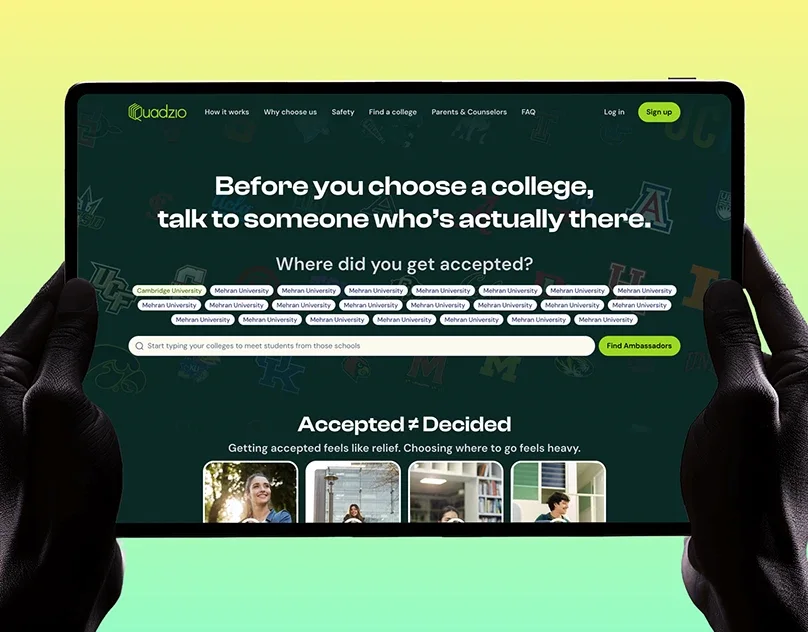
  • Quadzio case study cover: a tablet held in two hands showing the Quadzio college website.

    Education · Website

    Quadzio

    Coming soon

    Helps students talk to real college ambassadors before they choose.
    • Website
    • Landing page
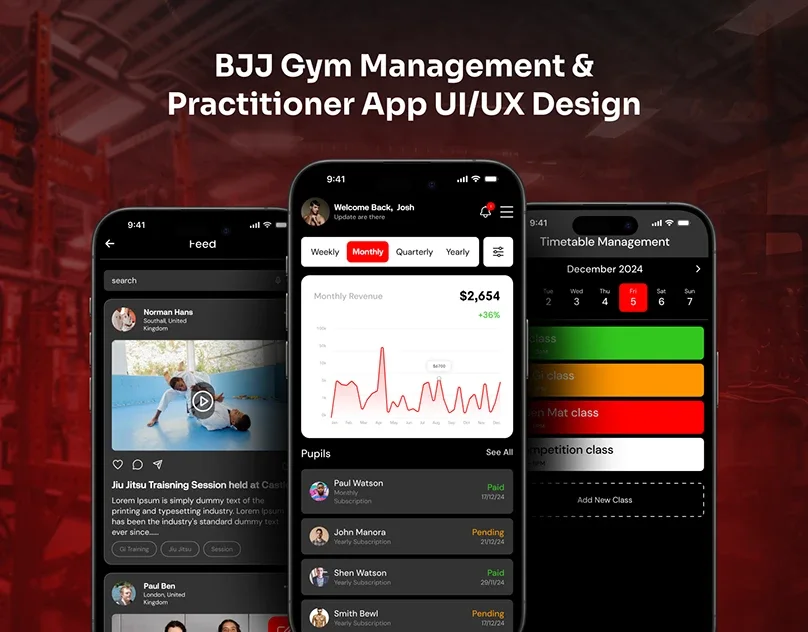
  • BJJ Gym case study cover: three phone screens of a gym management app on a red background.

    Fitness · Mobile + web

    BJJ Gym

    Coming soon

    One system for gym owners and members: classes, payments and progress.

    • Mobile + web
    • 120+ screens
  • Bare Beans case study cover: colourful Bare Beans product packs in front of large BARE lettering.

    E-commerce · UX audit

    Bare Beans

    Coming soon

    A self-initiated audit of a live store: what slows buyers down, and what to fix first.

    • UX audit
    • 19 pages

Let’s build what’s next.

Tell me what you’re building. I’ll reply within a few hours with a clear plan, timeline and quote.

Start a project(opens Upwork in a new tab)
Start a project. BEING SAIFY · WORKNext in the folder:your product.100+ projectsReplies within hours(opens Upwork in a new tab)
  • Websites
  • Product UI/UX
  • Motion & animation
  • Mobile apps
  • SaaS dashboards
  • Design systems